Your own website, in your own colours.
Sound familiar? “I pay a marketplace up to 30% for guests who already knew my name — and my own site still shows last year’s menu.”
Paloma builds your ordering site from your POS — menu, prices, photos and stock, live the moment they change — and dresses it in your brand: your colour, your fonts, your logo and banners. Pages for your story, catering or events, a page for every dish, four languages. You change any of it by telling Paloma what you want.
How it works
Connect your POS
Your menu, prices, hours and photos come in by themselves. The page appears with the first sync; until your business is switched on it is a preview that takes no orders.
Tell Paloma your look
Send your logo, a photo of your sign or a site you like. Paloma picks the colour, fonts and shapes, checks contrast and shows a preview.
Approve it
Nothing goes live until you tap Approve. “Put the old look back” undoes it.
Keep talking
“Add a catering page”, “put the fresh-pasta banner on top”, “hide the soup” — each change is a preview, then your yes.
See it
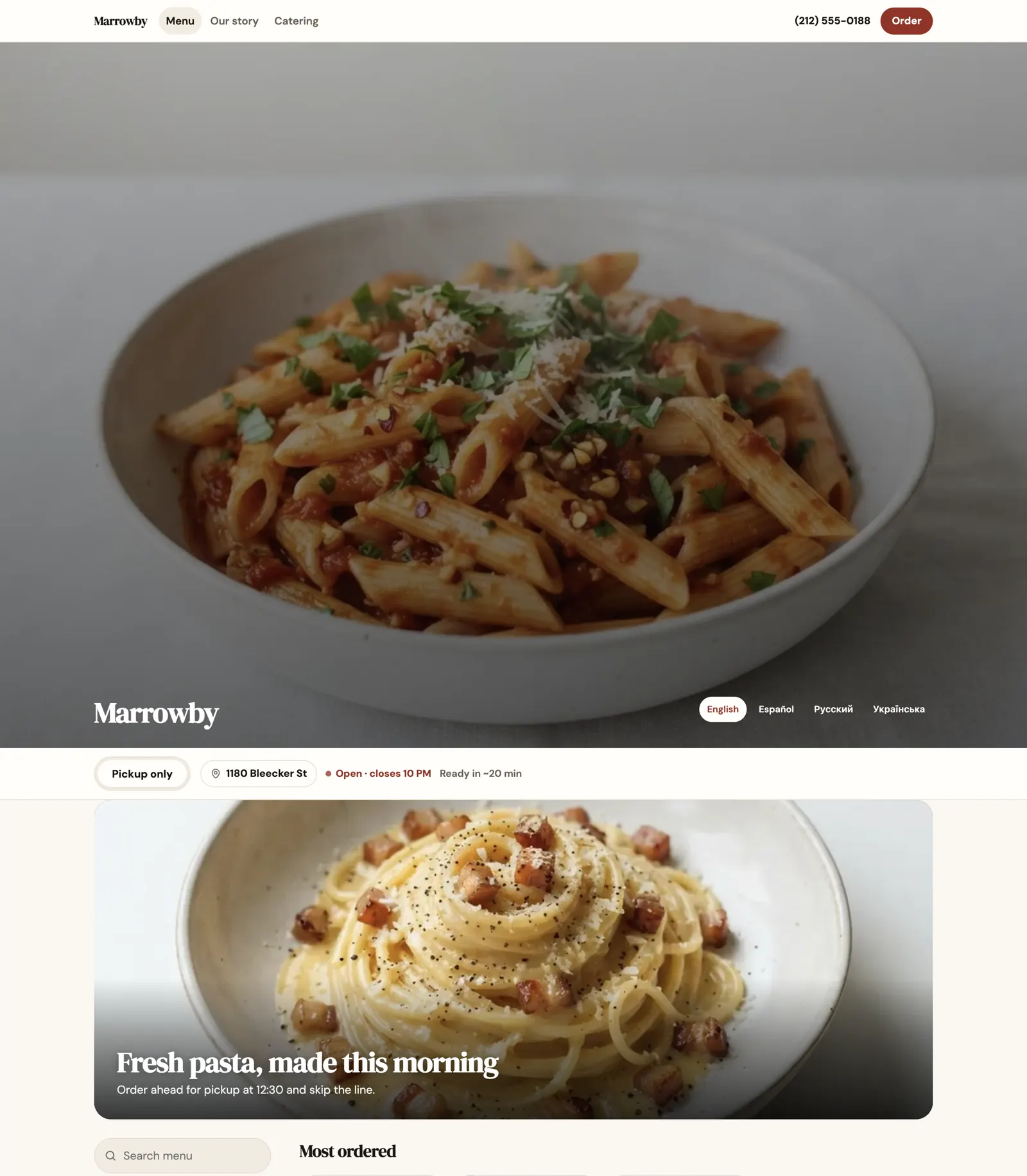
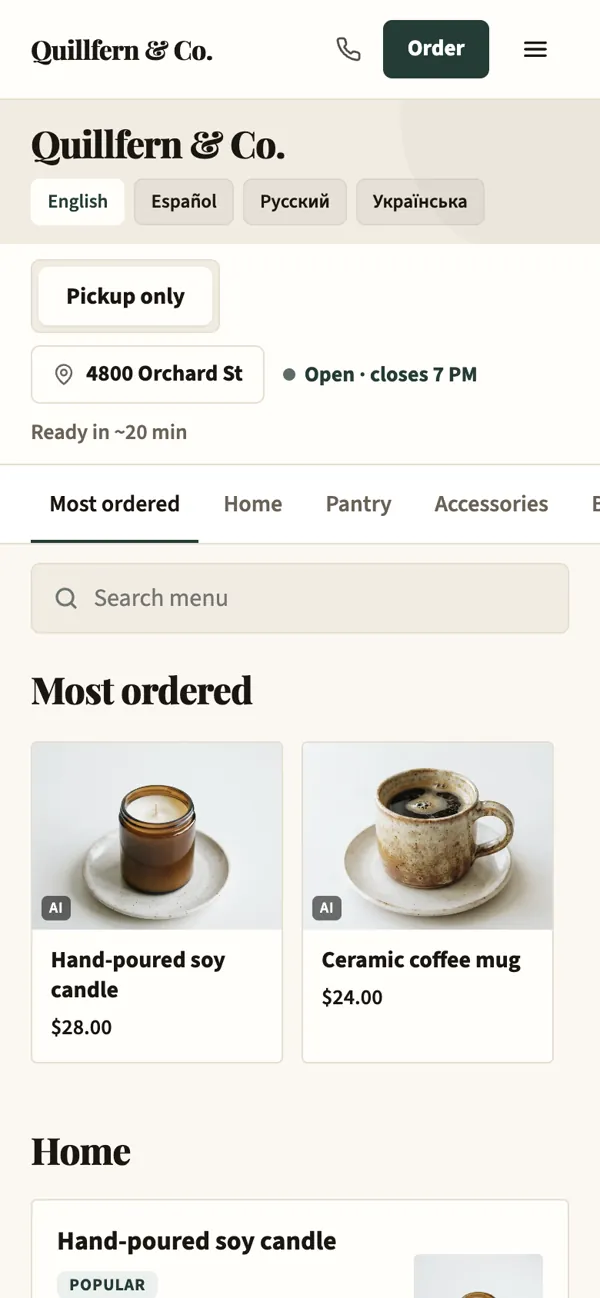
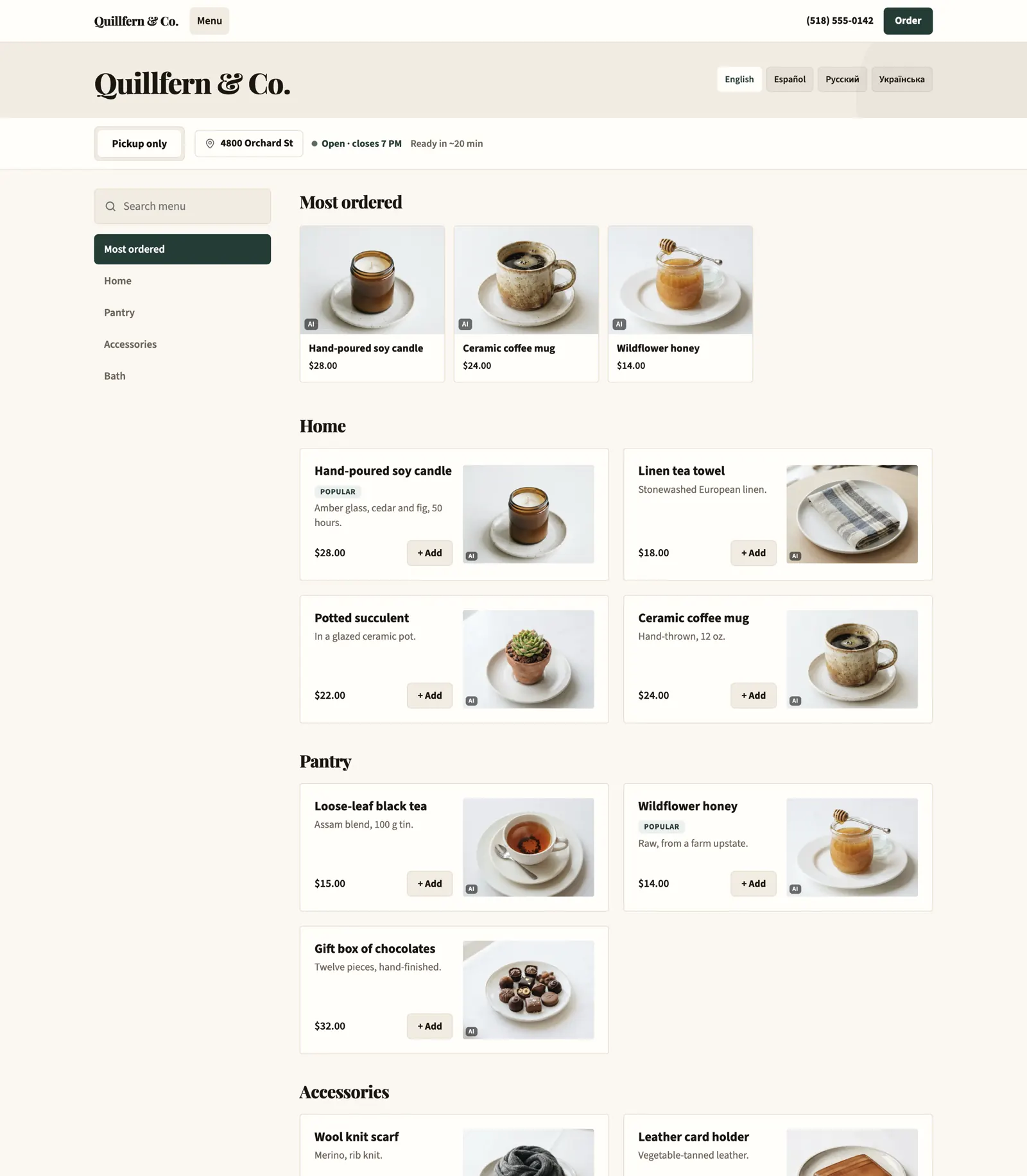
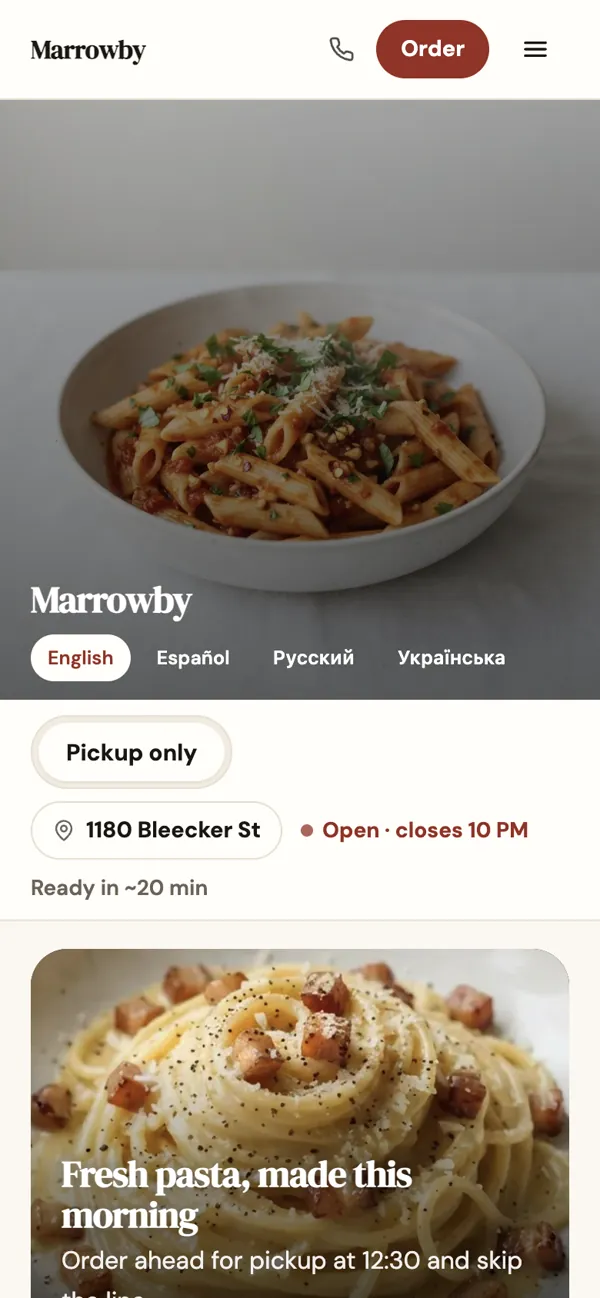
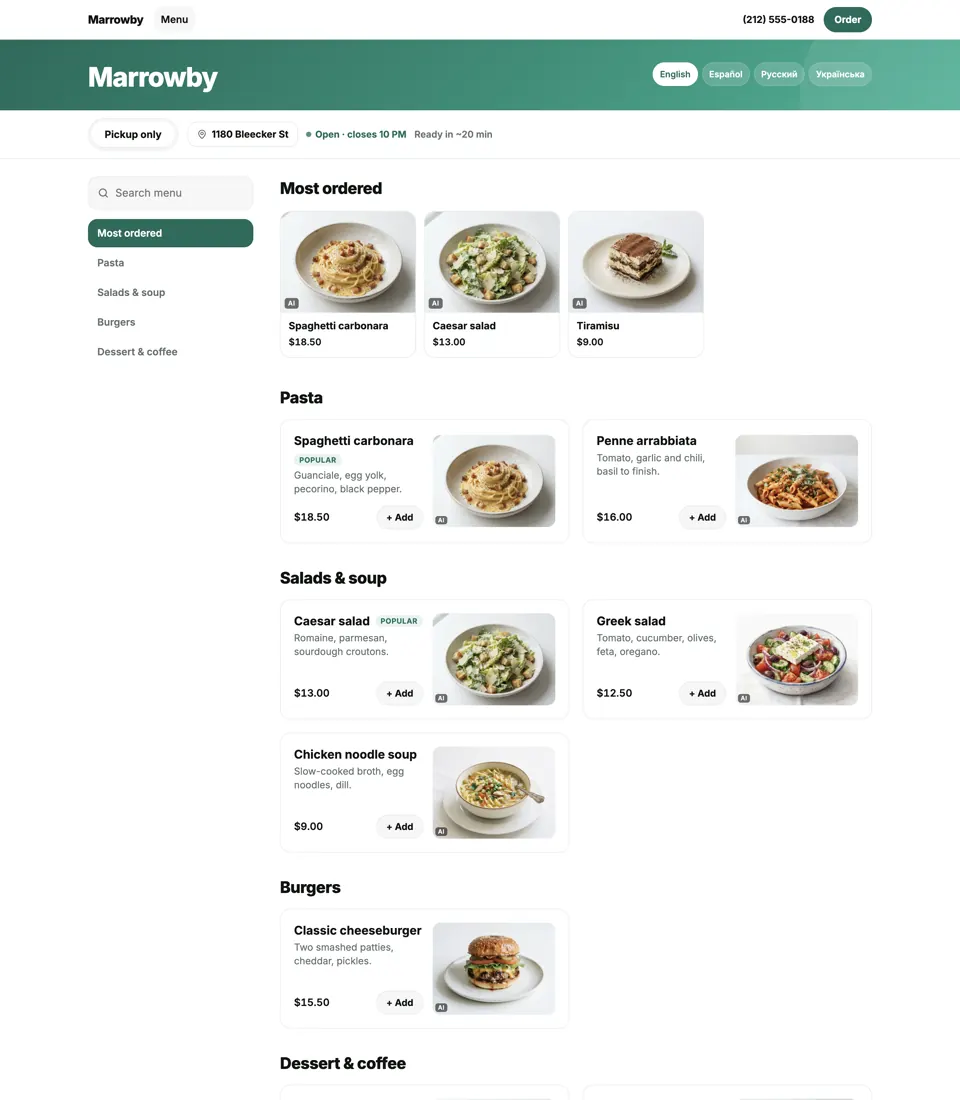
A shop with departments
Departments and shelves for a big catalog, the best sellers first.
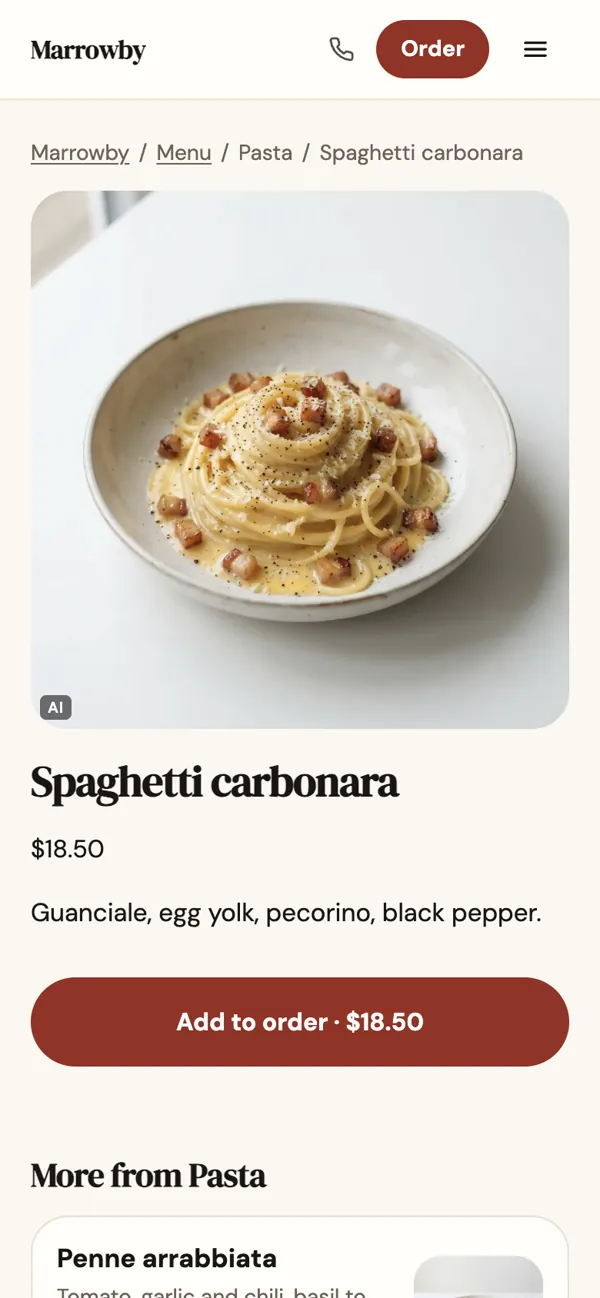
A page for every dish
Its own address in search, a big photo, one tap to order.
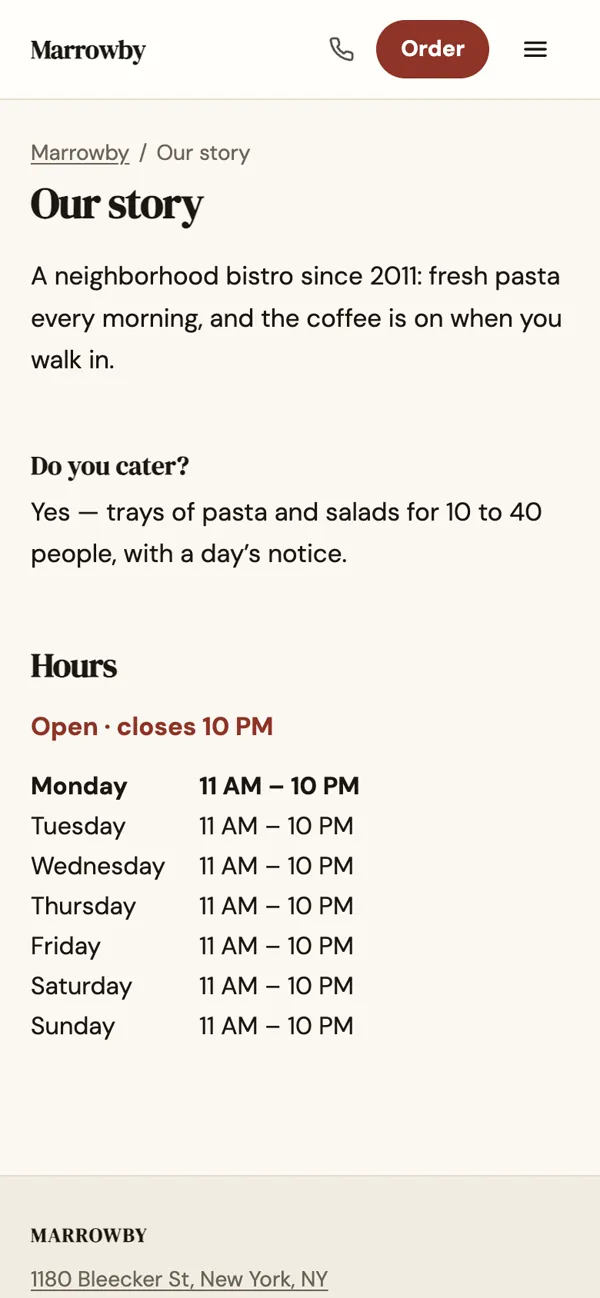
Pages of your own
“Our story”, catering, events — written by talking to Paloma.
Tell Paloma. The page changes.
One message, a preview, and nothing changes until you approve.
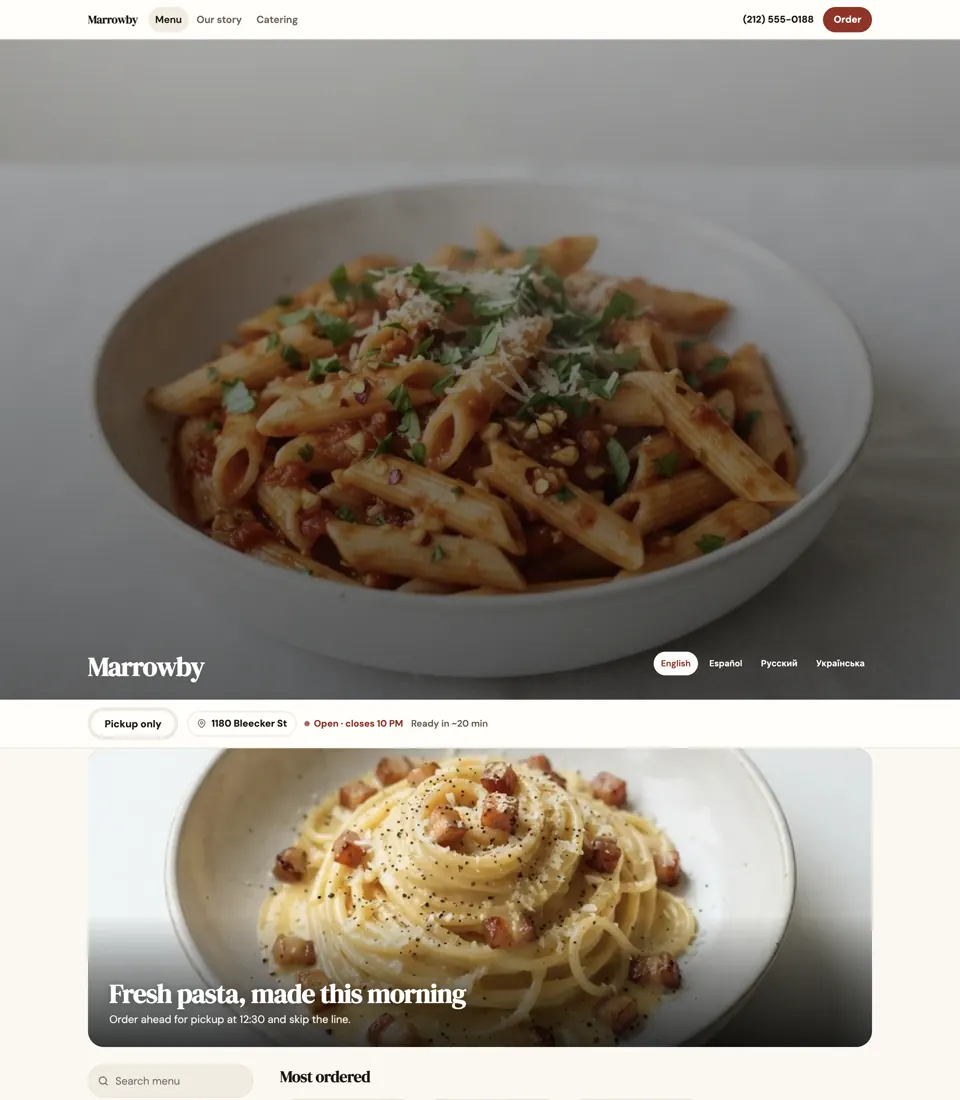
Make it look like us: our brick red, a classic serif, the penne photo across the top and a banner for the fresh pasta.
Here is the preview of the new look, and the banner is waiting for your OK. Approve them and they go live; “put the old look back” undoes the look.
What is live, what is rolling out
- Live
Your colors, your logo, 0% commission
Menu, prices and stock straight from the POS; say “refresh the menu” and it is read again at once. A big catalog is sorted into departments and shelves.
- Live
A website you change by talking
Ask in the chat for a new page, a photo, a banner or new hours, and Paloma puts it up.
- Live
A page for every dish
Your own words about a dish become its page, written so Google and AI assistants can find and quote you.
- Live
Online orders, now or for later
Guests order from your own page for pickup, right away or for a time they pick. Straight into your POS.
- Live
Your menu in four languages
English, Spanish, Russian and Ukrainian, translated for you. Guests see the one their phone speaks.
- Live
Regulars reorder in one tap
Guests sign in with a code texted to their phone; their addresses and Order again are waiting.
- Live
Frequently bought together
Suggestions from your own receipts, and what goes well with a dish from your menu.
- Rolling out
On your own domain
Point your domain at Paloma: the app shows the one DNS record to add and tells you when it is live.
- Rolling out
Orders through AI assistants
Guests can order from you in ChatGPT: the PalomaCEO.ai plugin reads your current menu, confirms the order with the guest and hands them your checkout. Other AI assistants that read the web or use tools can do the same.
Questions
Can it be on my own domain?
Yes, rolling out now: connect a domain you own, add one DNS record, and the site answers there with its own certificate. Until then it lives at order.palomaceo.ai/your-name.
Do you take a cut of orders?
No. Paloma takes nothing from an order: the guest pays on your own Clover, Square or Stripe checkout, at the card rate you already pay there.
Do I need a designer?
No. Paloma designs from your logo, a photo of your sign or a site you like, within a set of fonts and colours that stay readable on a phone.
Is there a drag-and-drop editor?
No — you tell Paloma what to change and approve a preview. The Site screen in the app shows the result.
Will Google and AI assistants find it?
Every dish with a photo or a description gets its own page, the site carries structured data and a sitemap that search and AI assistants read; ordering through AI assistants is rolling out.
Which languages?
English, Spanish, Russian and Ukrainian; Paloma translates your menu and pages and the guest picks.
Try it on your own business
Nothing to pay to start — no card, no subscription: your first business gets $25 on its balance as a gift when it is activated. Sign up, connect Clover or Square, and see it on your menu.
Yes, rolling out now: connect a domain you own, add one DNS record, and the site answers there with its own certificate. Until then it lives at order.palomaceo.ai/your-name.
No. Paloma takes nothing from an order: the guest pays on your own Clover, Square or Stripe checkout, at the card rate you already pay there.
No. Paloma designs from your logo, a photo of your sign or a site you like, within a set of fonts and colours that stay readable on a phone.
Prefer we set it up with you?
You can start on your own in the app. If you would rather set Paloma up together with us, or hear it on your own menu first, tell us who you are and we will write back. It is free.